
Upgrading or replacing your Picture Archiving and Communication System (PACS) is a huge undertaking, especially if your current PACS system isn’t broken.
However, running an outdated system can lead to inefficiencies, increased errors, and security vulnerabilities — directly impacting patient outcomes, operational workflows, and other areas within the organization.
Implementing a new PACS requires a thoughtful, step-by-step approach to ensure a seamless transition and address any potential challenges that may arise. By prioritizing the right strategies, you can set your healthcare facility up for long-term success while optimizing workflows and improving patient outcomes.
But how do you know when it’s time to upgrade your PACS? Watch for these signs:
- Limited integration with newer information systems or difficulty supporting advanced imaging technologies like 3D imaging or AI diagnostics
- Frequent downtime, slow processing speeds, and unreliable data retrieval
- Inability to meet regulatory standards like HIPAA for data security and privacy
- Capacity issues preventing your PACS from handling growing patient volumes or facility expansions
Upgrading to a modern PACS system does more than keep you current with technology — it can transform your organization’s operations.
Laying the Groundwork for a Successful PACS Implementation
Effective planning is the foundation of any successful PACS implementation project. Before upgrading your PACS for radiology, you should conduct a thorough assessment of your current PACS technology and organizational needs.
When conducting your assessment, work with your radiology department to consider:
- What problem(s) will the new PACS solve, and which features are critical vs. nice-to-have
- Clearly defining the scope of work and identifying tasks that fall outside the project
- Developing a resource plan that outlines the required staff, materials, and equipment affected by the transition
- Addressing any potential issues that may arise, such as data loss, system downtime, or resistance to change
- Factoring in the total cost, including software, hardware, training, data migration, and potential downtime
- Creating a realistic schedule that incorporates training, data migration, and any expected downtime
Proper planning at this stage can mitigate unexpected expenses and ensure a smoother implementation process.
Choosing the Right PACS Vendor
Selecting the right PACS vendor is one of the most critical decisions in the implementation process. A well-chosen vendor can differentiate between a seamless transition and ongoing frustration.
Questions to ask potential vendors:
- Is the PACS system compatible with our existing healthcare IT infrastructure and EHR system?
- Can the system handle our current patient load and accommodate future growth?
- How does the system ensure HIPAA compliance?
- What backup and disaster recovery solutions do you offer to prevent data loss?
- Can the Hospital PACS system be customized to match our specific workflow requirements?
- Can healthcare professionals access images and reports from mobile devices or remote locations?
- What is the total cost of ownership, including licensing, hardware, maintenance, and upgrades?
- Are there any hidden costs or ongoing fees?
- What training and support options do you provide during implementation and afterward?
- Can you provide references or case studies from other healthcare organizations that have implemented your PACS system?
When comparing vendor solutions, request product demos, assess features, and consider ROI. Rank solutions by how well they align with your needs during scaled tests to help you achieve a successful implementation.
If you need more assistance choosing a vendor, check out our blog post on Nine Steps to Selecting a PACS Vendor.
Navigating PACS Data Migration
Migrating to a new PACS system can seem overwhelming, especially if this is your first time navigating the process. Having a clear plan and working with a vendor like Radsource makes all the difference.
Start by defining your goals: What data needs to be moved, and what do you hope to achieve? Analyze your existing data — categorizing by type, format, and sensitivity — to create a detailed mapping plan that ensures a smooth transfer and reduces downtime and service delays.
Decide whether a full or phased migration works best for your organization, and outline a timeline for each step. Use a testing environment to run trial migrations and catch issues early. Throughout the process, prioritize data security to protect sensitive information and validate everything post-migration to ensure accuracy.
Potential Challenges to Watch Out For
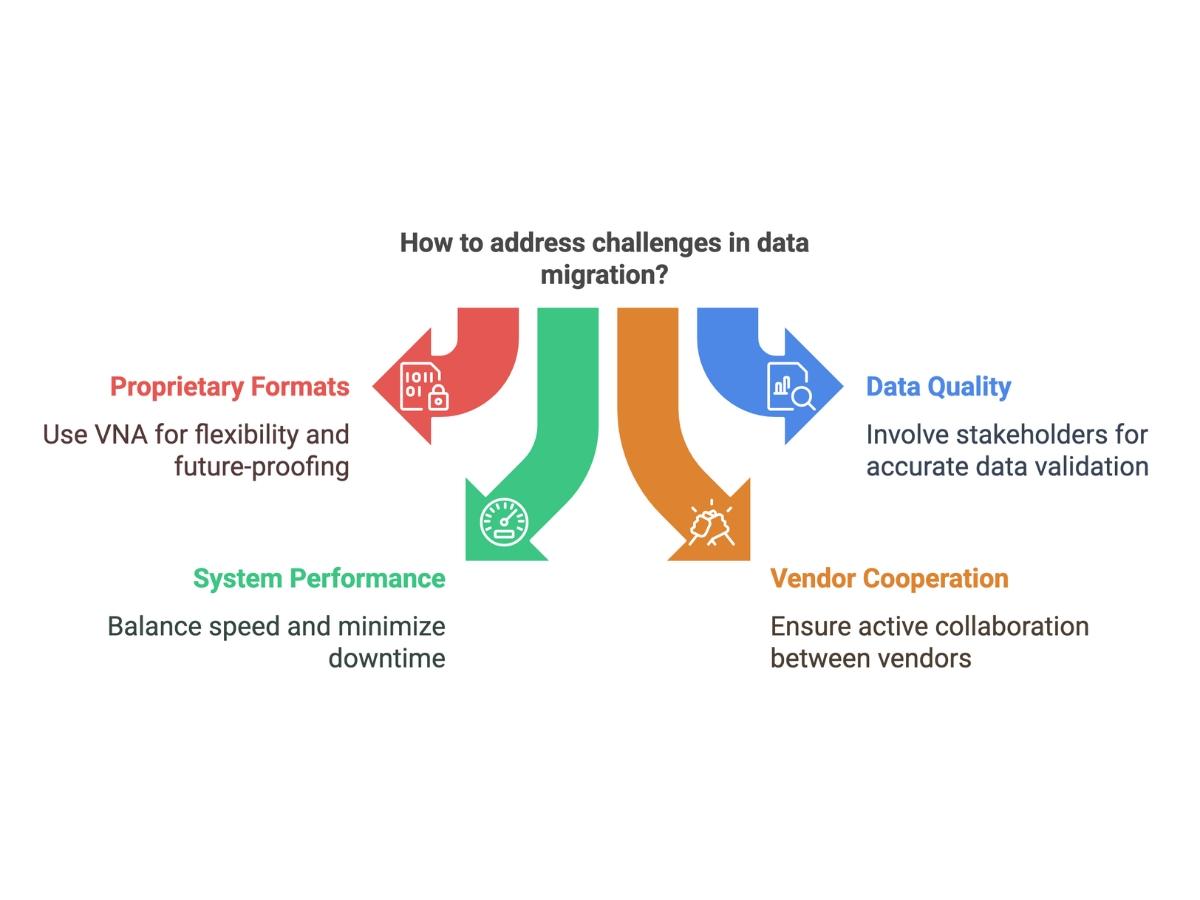
Even with careful planning, data migration can present obstacles that require proactive solutions:
- Proprietary formats and compatibility issues: Vendors may use proprietary storage methods or non-standard DICOM tags, complicating data extraction and integration with the new system, even when DICOM compliance is claimed.
- Data quality and validation: Errors, duplicates, or inconsistencies in existing data need resolution before migration to ensure accuracy. Post-migration, thorough validation is important to confirm data integrity.
- System performance and downtime: The migration process can strain system performance, affecting both old and new systems and potentially disrupting workflows. Balancing speed and minimal downtime is important.
- Vendor cooperation: Limited support from the old vendor, particularly for proprietary data structures, can slow the process. Active collaboration between old and new vendors is the key to success.
To address these challenges, consider implementing a vendor-neutral archive (VNA) solution for flexibility and future-proofing. Close involvement from all stakeholders throughout the migration process helps resolve issues efficiently, keeps the project on track, and ensures a successful transition.
Training End-Users on the New PACS System
Proper training ensures your team can effectively use the new PACS system. Start by tailoring training sessions to the needs of different roles, such as radiologists, technologists, and administrators. Scheduling training sessions during non-peak hours can minimize disruptions while ensuring everyone gets hands-on experience.
Regular downtime drills and ongoing support help reinforce knowledge and build confidence among users. Don’t forget to schedule training sessions for radiologists post-implementation to address questions and optimize workflows as the team becomes more familiar with the new PACS system.
Managing Downtime During PACS Implementation
Downtime during PACS implementation is inevitable, but careful planning will minimize its impact. Start with a solid downtime plan that outlines clear procedures for operating during outages, switching to backup systems, and keeping all stakeholders informed. Reliable backups, such as a secondary PACS or thin-client web distribution system, should be tested regularly to ensure they’re ready when needed.
Schedule the implementation project during low-volume periods, like weekends or off-hours, to limit disruptions to patient care. Proactive communication is key — notify staff promptly, provide updates, and involve administrators to help manage business impacts. Regular downtime drills can also ensure staff are prepared to handle outages confidently.
Combine proactive system monitoring with strong vendor support through clear service level agreements (SLAs) to quickly address issues.
By taking these steps, you can keep operations running smoothly and reduce the challenges downtime might pose during your PACS transition.
Ensuring Interoperability and Integration
Achieving seamless interoperability starts with adopting standards like DICOM, HL7, and FHIR to enable communication between imaging devices, EHRs, and other systems.
Assess your current IT infrastructure to identify gaps, and select a PACS vendor with strong integration capabilities and experience with similar setups. Collaborate with IT experts and vendors to create a tailored integration plan that addresses your organization’s needs.
Incorporating advanced tools like vendor-neutral archives (VNAs) and query federation can simplify data exchange and ensure real-time access to patient data. Mapping new workflows and providing staff with comprehensive training are also essential to making the transition as smooth as possible.
Ensuring a Successful Long-Term PACS Implementation
A new PACS system is a long-term investment that pays dividends in operational efficiency, better patient care, and scalability. Successful implementation lies in careful planning, collaboration, and choosing a reliable vendor.
Need more guidance? Partner with trusted experts like Radsource to streamline your PACS implementation. Learn how we can help tailor solutions to meet your needs — get in touch today!
