
When PACS crashes, who gets the first call? You do. Every time. Whether it’s slow image loading, a server failure, or a workflow bottleneck, the responsibility lands squarely on PACS admins to fix the problem – often at the worst possible moment. It’s stressful, exhausting, and, worst of all, distracts from your essential tasks of ensuring smooth operations and optimal patient care.
But constant troubleshooting isn’t sustainable. A PACS should work for you, not the other way around. Here’s how to reduce downtime, minimize emergency calls, and keep your system running smoothly.
Understanding Common PACS Problems
PACS issues can range from minor annoyances to major operational disruptions. Frequent system crashes, slow image loading, and delayed workflow processes commonly stem from inadequate data management, outdated hardware, incompatible software components, or insufficient network infrastructure.
For radiologists, these problems aren’t trivial—they directly impact patient care. Slow image loads mean delayed diagnoses, workflow bottlenecks lead to scheduling issues, and frequent crashes can risk losing critical imaging data. Understanding these common PACS challenges is the first step toward proactively resolving them.
The Role of a PACS Admin: More than Troubleshooting
A PACS administrator’s role is crucial and extends beyond mere reactive troubleshooting. Effective PACS admins proactively optimize system performance, maintain data integrity and security, manage integrations with electronic health records (EHR) and other clinical systems, and collaborate closely with clinical teams to ensure smooth imaging workflows.
When PACS admins spend most of their time responding to emergencies, important proactive tasks get sidelined. Optimizing your PACS system’s performance ensures better patient outcomes and improves clinician satisfaction, reinforcing your essential role within the medical imaging environment.
1. Proactive System Monitoring = Fewer Emergencies
Most PACS failures don’t come out of nowhere. Performance slowdowns, storage limits, and network congestion often show warning signs long before a system crashes. Invest in a PACS with built-in monitoring and alerts that notify you before small issues become major problems.
Radsource’s ProtonPACS, for example, provides comprehensive real-time monitoring and automated alerts. This allows PACS administrators to proactively address issues, significantly reducing system downtime and minimizing those dreaded emergency calls.
2. Smarter Caching and Image Routing
Lagging image loads? It’s often a sign of inefficient data management. Intelligent image routing and smart caching ensure radiologists get instant access to studies without overloading your system. Optimized data flow means fewer calls about delays and more time spent on higher-level priorities.
Advanced PACS solutions like ProtonPACS excel at intelligent routing and efficient data caching. This ensures quick, reliable access to medical images, keeping your clinical team productive and focused.
3. Reliable Vendor Support Matters
If you’re constantly forced to troubleshoot without real backup, your PACS provider isn’t doing their job. A support team that understands medical imaging, responds quickly, and actively prevents issues can make the difference between a smooth-running system and a crisis.
Radsource offers exceptional vendor support, staffed by specialists who understand not just the technology but also the clinical workflows and pressures of healthcare environments. This dedicated support helps prevent minor issues from becoming major disruptions.
4. Automation and Updates Keep PACS Running
Skipping updates due to fear of downtime? That hesitation can lead to bigger failures down the road. A PACS that automates software patches, security updates, and routine maintenance removes the burden of manual intervention – and keeps your system secure and reliable.
ProtonPACS automates routine updates and system maintenance, ensuring your PACS remains secure and efficient without unnecessary downtime. This automation removes the burden of manual interventions, allowing PACS admins to focus on strategic tasks rather than emergency fixes.
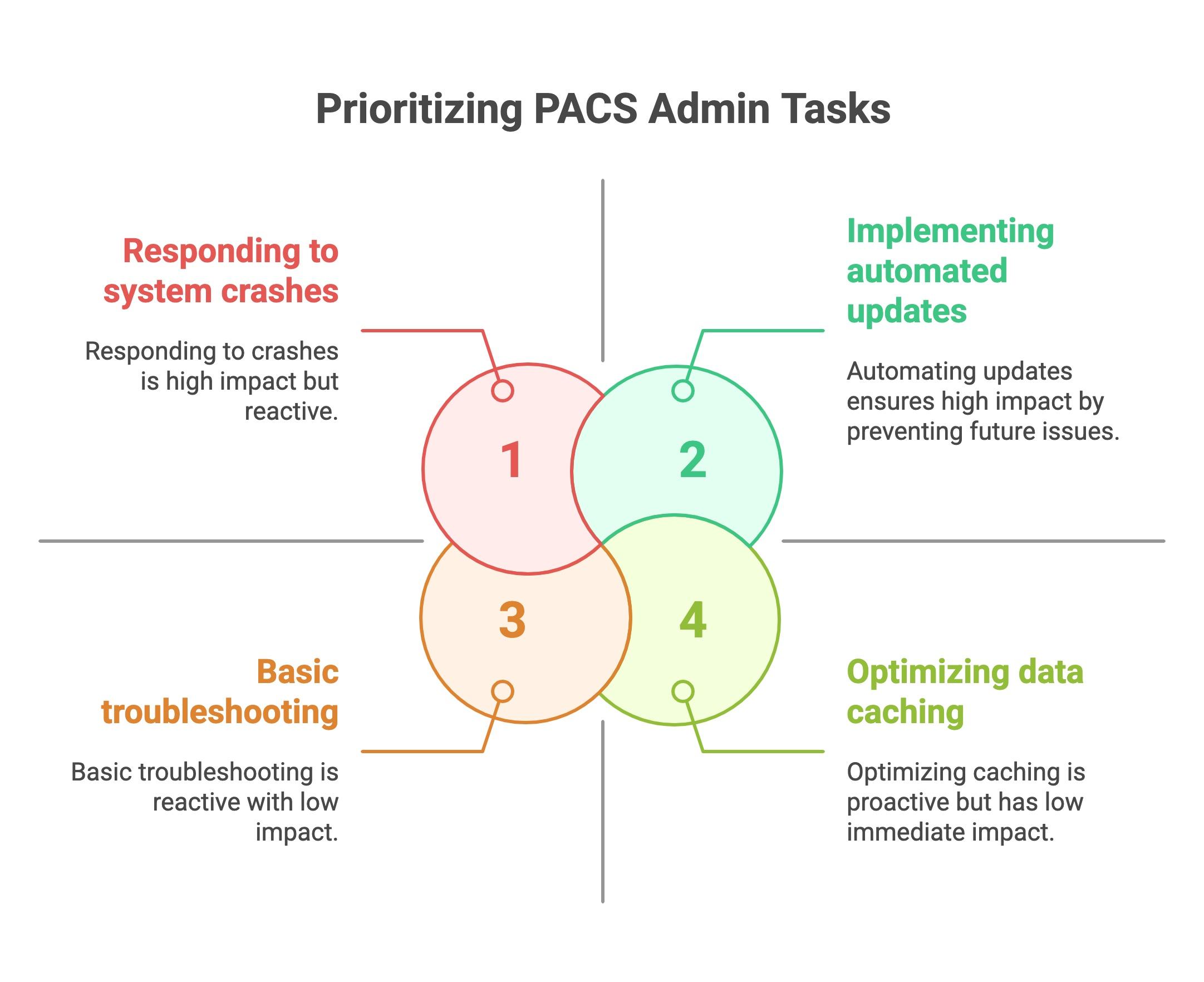
Prioritizing PACS Admin Tasks
Key Signs It’s Time to Evaluate Your Current PACS
Knowing when to re-evaluate your PACS solution can save significant time and stress. Look out for these critical signs:
- Increasing frequency of crashes or slowdowns
- Ineffective or unresponsive vendor support
- Difficulty integrating with existing clinical systems
- Inability to handle the growing volume of imaging data effectively
Identifying these signs early helps you make informed decisions and maintain optimal system performance.
Take Control of Your PACS Before It Takes Over Your Life
Emergency PACS calls don’t have to be part of the job. By choosing a system designed for uptime, performance, and proactive support, you can reduce stress, eliminate preventable failures, and keep your focus on what really matters – efficient imaging workflows that just work.
Radsource’s ProtonPACS provides reliability, performance, and exceptional support, helping you maintain your system’s integrity and your own sanity. Make proactive PACS management a priority, and reclaim control of your daily workflow and patient care quality.
Take action today – evaluate your current PACS solution, identify gaps, and consider how switching to a robust, proactive system like ProtonPACS could dramatically improve your work environment and the overall efficiency of your imaging department.
