
Not every medical facility has on-site imaging. Some receive scans from referring providers. Others rely on patients bringing in CDs or digital uploads. So where does that leave you when it comes to Picture Archiving and Communication Systems (PACS)? Is investing in one still worth it if you don’t capture the images yourself?
In short: possibly, yes—but it depends on how you manage imaging today, what your volume looks like, and where your practice is headed. Here’s a guide to help you make a clear, informed decision.
Understanding External Imaging Workflows
If you don’t perform your own X-rays, MRIs, or CTs, your imaging needs may seem simple at first. A few CDs here, a cloud upload there. But as patient volume grows and image-based diagnoses become more routine, the cracks show quickly.
Manual file transfers, temporary cloud storage, and inbox-based sharing often lead to:
- Lost or duplicated studies
- Inefficient access during appointments
- Frustrated physicians and delayed diagnoses
A PACS—designed to centralize and organize imaging—can resolve these challenges, even if you never operate your own scanner.
Ask yourself:
- How many external studies does your staff handle each week?
- How much time is spent importing, converting, or transferring images?
- Can your team find a patient’s prior images in seconds?
If the answers point to growing inefficiencies, a PACS might be the fix—not a luxury.
When On-Site Imaging Isn’t the Factor
Pitfall: Assuming You Need Scanners to Justify a PACS
PACS systems are often marketed alongside on-site imaging equipment, but their utility extends far beyond image capture. Even without modalities in-house, many practices:
- Coordinate care based on outside imaging
- Perform second reads or consults
- Store and share images as part of routine follow-ups
In these workflows, a PACS can provide fast, secure access to patient imaging histories and eliminate the scatter of temporary storage systems. While some facilities may find lightweight “mini PACS” platforms sufficient, others quickly outgrow their limitations.
Budget vs. Capability: Finding the Right Fit
If your image volume is low and your budget is tight, there are affordable web-based options. These entry-level PACS platforms—sometimes called “mini PACS”—offer basic features like uploading, viewing, and light storage for occasional image handling.
But if your team routinely:
- Reviews images during patient visits
- Manages records for long-term patients with complex histories
- Needs fast access to multiple studies per day
…then scaling up to a more robust solution makes better sense. It’s not about overbuying—it’s about right-sizing for your real workflow.
ProtonPACS, for example, is designed to scale with your needs. You can start small and expand as your volume grows, ensuring you never hit a wall in performance or storage.
Integration Isn’t Required—but It Helps
EMR and RIS integration can streamline your operations, especially when it comes to associating imaging studies with patient records or automating workflows. But for facilities that haven’t implemented these systems, a PACS can still function effectively on its own.
A modern, well-designed PACS should:
- Store studies securely
- Allow authorized users to view and share images
- Provide audit trails and access logs
If your long-term plan includes EMR or RIS adoption, ensure your PACS is ready to integrate when the time comes. That way, you’re building infrastructure, not replacing it later.
Key Benefits of PACS Without On-Site Imaging
Even without scanners or imaging staff, the right PACS can transform how your team handles external studies. Here’s what to expect:
Centralized Image Management
External imaging is no longer scattered across email, USBs, or individual workstations. Everything is centralized, organized, and secure.
Faster Patient Encounters
Clinicians can pull up images in seconds—during visits or consults—rather than chasing down files or rerouting to another system.
Better Continuity of Care
When images are available alongside the patient’s history, diagnoses are faster, second opinions are easier, and referrals are smoother.
Scalability for Growth
As your practice expands, the PACS expands with you—without the need for system overhauls.
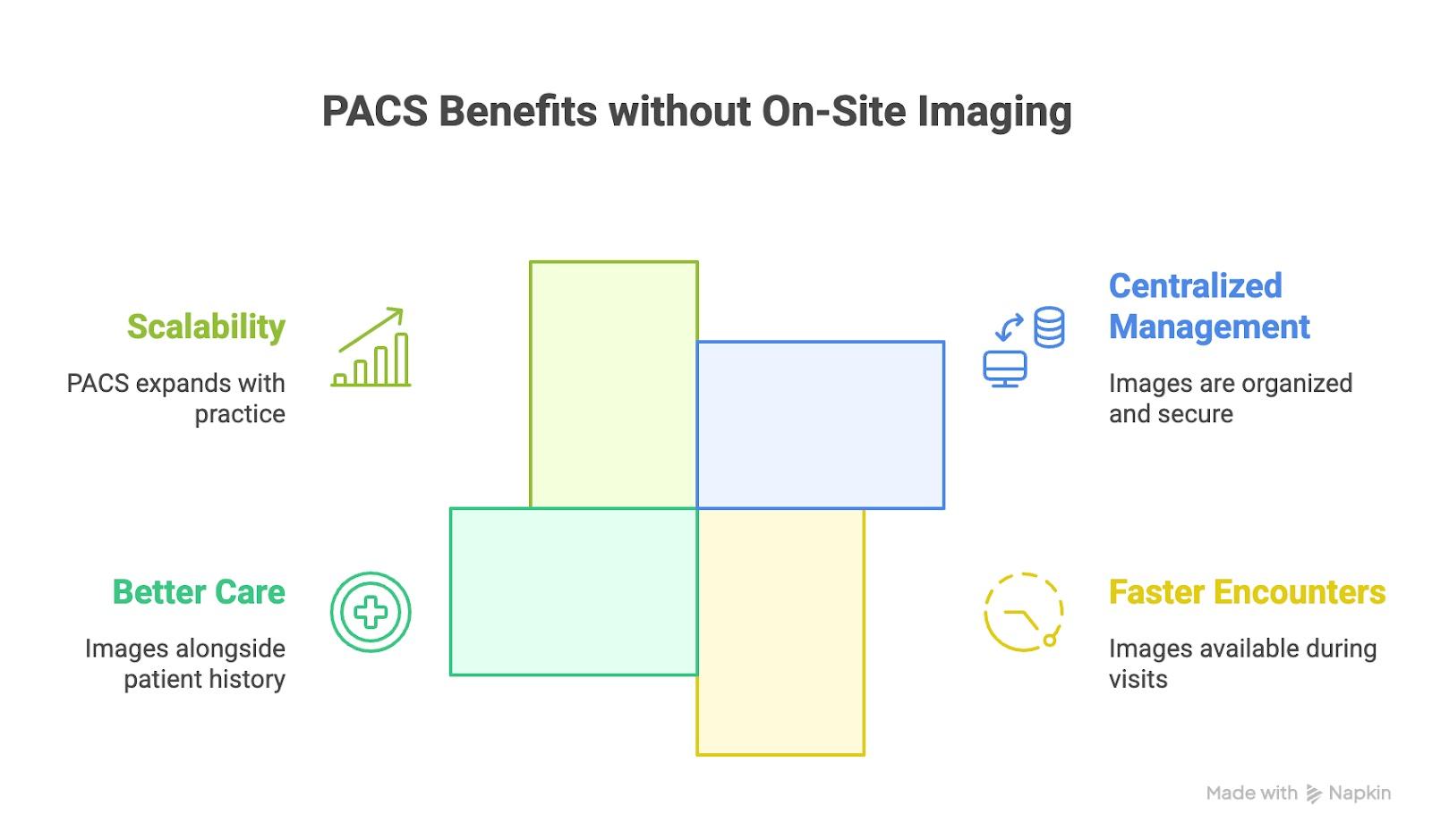
PACS Benefits Without On-Site Imaging
What to Consider Before Choosing a PACS
Whether you’re evaluating a mini PACS or a full-featured platform, here are key criteria to guide your decision:
Image Volume
If you receive and handle imaging studies regularly—even just a few per day—you’re already managing more complexity than you may realize.
User Experience
Look for systems that are intuitive, with fast load times and minimal learning curves. Your team shouldn’t need IT support to open a study or share an image.
File Format Compatibility
DICOM is standard, but external images come in many flavors. Make sure your PACS can ingest, convert, and normalize those files with minimal friction.
Security and Compliance
Even if you don’t scan in-house, you’re still responsible for safeguarding patient data. Encryption, access controls, and audit logging are must-haves.
Support and Scalability
Ask if the system can grow with you—both in user count and storage capacity. Also, make sure vendor support is responsive and knowledgeable.
Finding the Right PACS for Your Needs
Choosing a PACS without having your own imaging modalities may feel unconventional, but it’s more common than you think. Many facilities rely on external imaging workflows and still need fast, organized, and secure access to patient studies.
At Radsource, we work closely with practices in this exact position. Whether you need an entry-level solution or are preparing for long-term growth, our ProtonPACS platform offers the flexibility, reliability, and expert support to match.
Our goal isn’t just to provide a PACS—it’s to help your team handle imaging better, regardless of where those images originate.
Ready to Explore Your Options?
Managing external images manually might work for now—but it’s not built for growth. Whether you’re handling studies a few times a week or dealing with a steady influx, Radsource can help you design the right solution to fit your clinical and operational needs.
Our team is ready to guide you through the options, assess your current imaging workflows, and help you find the best-fit PACS—no imaging equipment required.
Let’s talk.
Frequently Asked Questions
Can a PACS solution work effectively without integration with EMR or RIS?
Yes. A well-designed PACS can operate independently while still offering future integration options. You don’t need an EMR to benefit from centralized image management.
What’s the main difference between a “mini PACS” and a full-featured PACS?
Mini PACS systems are typically web-based, low-cost platforms for light image storage and viewing. Full-featured PACS support higher volumes, richer workflows, and better integration capabilities.
How can I determine if my facility needs a scalable PACS solution?
Start by evaluating how often you receive external imaging, how those files are managed, and how accessible they are to your clinical team. If inefficiencies are slowing you down or if your volume is growing, it’s time to consider a scalable system.
