
Cloud PACS vs Onsite PACS: Making the Right Choice for Your Healthcare Facility
When it comes to managing medical imaging and patient data, healthcare facilities have two main options: Cloud based PACS and Onsite PACS. Cloud PACS, or Picture Archiving and Communication System, allows for secure storage and access to medical images and reports via the cloud. On the other hand, Onsite PACS involves storing and accessing data on local servers within the facility.
Choosing the right system is crucial for large healthcare facilities as it can impact efficiency, data accessibility, and overall patient care. In this article, we will explore the differences between Cloud PACS and Onsite PACS to help you make an informed decision for your healthcare facility.
Upfront and Ongoing Costs
When considering implementing an orthopedic or radiology PACS system at your facility, cost is a crucial factor to evaluate. The initial setup costs for Cloud PACS versus Onsite PACS can vary significantly based on a number of factors.
Comparison of initial setup costs for Cloud PACS vs Onsite PACS
- Cloud PACS typically require lower upfront costs as there is no need for purchasing and maintaining on-premises hardware.
- Onsite PACS may require a significant initial investment in hardware, such as servers and storage devices.
- Cloud PACS usually operate on a subscription-based model with ongoing costs spread out over time, making budgeting easier.
- Onsite PACS may have higher upfront costs but lower recurring costs over the long term.

Long-term cost implications for maintenance and upgrades
- Cloud PACS often include maintenance and upgrades as part of the subscription fee, reducing the need for additional expenses.
- Onsite PACS may require additional costs for maintenance, upgrades, and IT support services.
- The total cost of ownership over the lifespan of the system hinges on maintenance vs subscription fees, as well as initial costs.
Data Security and Privacy Concerns In PACS Systems
When it comes to healthcare data, security and privacy are non-negotiable. Whether you choose Cloud PACS or Onsite PACS, it is essential to analyze the data security measures in place to ensure the protection of patient information.
- Cloud PACS: Cloud PACS providers typically have robust security measures in place, including encryption, access controls, and regular security audits. Responsibility for cloud data security falls largely on the Cloud PACS provider, most of whom invest heavily in security infrastructure.
- Onsite PACS: Onsite PACS systems also offer strong data security measures, with data stored locally on servers within the healthcare facility. However, the responsibility for ensuring security lies with the healthcare organization, requiring adequate IT resources and expertise.
Regardless of the system chosen, patient data privacy is of utmost importance. Healthcare providers must comply with regulations such as HIPAA to ensure the confidentiality and privacy of patient information. It is essential to choose a PACS solution that meets these regulatory requirements and provides tools for secure data storage and transmission.
Server Location
One of the key differences between Cloud PACS and Onsite PACS is where the server is hosted. With Cloud PACS, all data is stored on remote servers maintained by a third-party vendor. This means that healthcare facilities do not need to invest in expensive server hardware or worry about maintaining the server infrastructure.
On the other hand, Onsite PACS requires healthcare facilities to have their own server infrastructure to store and manage medical images and patient data. This can be a significant upfront cost and requires ongoing maintenance and support from IT staff.
Ultimately, the decision on whether to choose Cloud PACS or Onsite PACS will depend on factors such as cost, IT resources, and data security requirements. Healthcare facilities should carefully evaluate their needs and consider the pros and cons of each option before making a decision.
Scalability and Performance
When considering a PACS solution for a large healthcare facility, scalability and performance are crucial factors to evaluate. The ability of the system to scale up and handle increasing amounts of medical imaging data is essential for the efficiency of the facility.
Scalability potential in Cloud PACS and Onsite PACS
Cloud PACS offers a high level of scalability compared to Onsite PACS. With cloud-based solutions, healthcare facilities can adjust their storage and processing capabilities as needed, without the limitations of physical hardware. This makes it more cost-effective and efficient for facilities that expect to see growth in their imaging data volume over time.
On the other hand, Onsite PACS may face limitations in terms of scalability, as it relies on the capacity of the physical servers and storage devices on-site. This can result in delays and inefficiencies when trying to expand the system to accommodate larger data volumes.
Impact of system performance on medical imaging workflow
The performance of a PACS system directly affects the speed and efficiency of the medical imaging workflow.
Onsite PACS remove any reliance on cloud connectivity to maintain service. However, they may experience performance issues when the system is overloaded with large data volumes. This can lead to delays in accessing images and reports, which can impact patient care and workflow efficiency.
Cloud PACS typically offers faster processing speeds and smoother performance due to the use of high-performance cloud servers and networks. This can result in quicker access to patient data and images, leading to improved diagnostic and treatment times.
When considering scalability and performance, Cloud PACS offers a more flexible and efficient solution for large healthcare facilities compared to Onsite PACS.
Integration with Existing Systems
When considering whether to choose Cloud PACS or Onsite PACS, one important factor to take into account is the integration with existing healthcare IT systems. The seamless integration of your PACS with other systems can greatly impact the efficiency and effectiveness of patient care.
Advantages and Challenges
Cloud PACS offers the advantage of easy integration with various systems through APIs and standard protocols. This allows for smooth communication between your PACS and EMR, RIS, and other systems, ensuring that patient data is readily accessible and up-to-date throughout the healthcare organization.
Onsite PACS may require more customization and integration work to connect with existing systems. This can introduce challenges such as compatibility issues, data transfer delays, and potential disruptions to workflow.
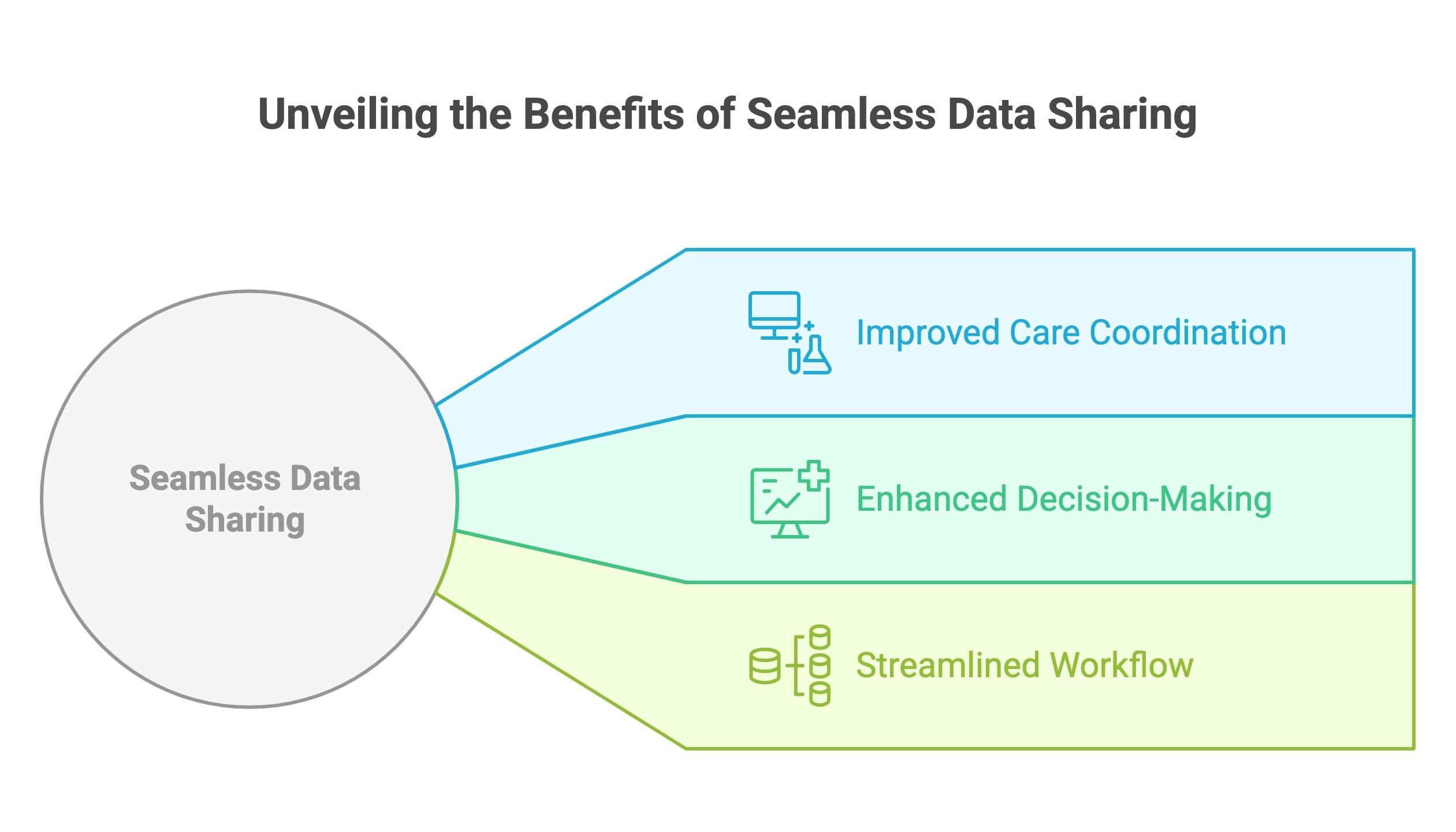
Importance of Seamless Data Sharing
Seamless data sharing is crucial for providing timely and accurate patient care. By integrating your PACS with existing systems, healthcare providers can quickly access imaging results, reports, and patient information when making diagnostic and treatment decisions.
- Improved Care Coordination: Integration allows for better coordination between radiology, lab, and other departments, leading to more efficient patient care.
- Enhanced Decision-Making: Access to complete patient records enables healthcare providers to make well-informed decisions based on the most current information available.
- Streamlined Workflow: Seamless integration reduces the need for manual data entry and eliminates duplication of efforts, saving time and resources.
Electronic Medical Records
Both Cloud PACS and Onsite PACS offer integration with Electronic Medical Records (EMR) systems to streamline workflows and improve efficiency in healthcare facilities. EMRs allow healthcare providers to access patient data, including medical history, test results, and treatment plans, in a secure and organized manner.
With Cloud PACS, EMRs are often cloud-based as well, providing easy access to patient data from any location with an internet connection. This can be especially beneficial for healthcare providers who need to access patient information remotely or collaborate with specialists from different locations.
Onsite PACS typically integrates with local EMR systems within the facility, providing seamless access to patient data without the need for an internet connection. This can be advantageous for healthcare facilities that prioritize data privacy and security.
Overall, both Cloud PACS and Onsite PACS offer robust EMR integration capabilities, allowing healthcare providers to deliver quality patient care efficiently and effectively.
Maintenance and Support
When it comes to maintenance and support, both Cloud PACS and Onsite PACS have their own advantages and considerations to take into account.
Comparison of maintenance and support services provided for Cloud PACS and Onsite PACS
Cloud PACS typically offer ongoing maintenance and support as part of their service package, which can be beneficial for healthcare facilities that may not have the resources or expertise to handle technical issues on their own. Onsite PACS may require in-house IT staff or outsourced support services to ensure smooth operation and timely updates.
Considerations for downtime and system updates in large healthcare facilities
Large healthcare facilities must consider the impact of downtime and system updates on their operations when choosing between Cloud PACS and Onsite PACS. Cloud PACS providers often have built-in redundancy systems and regular maintenance schedules to minimize downtime, while Onsite PACS may require scheduled maintenance windows that could disrupt workflow.
- Cloud PACS: Continuous support and updates, minimal downtime
- Onsite PACS: Potential for downtime during updates, reliance on in-house or outsourced support
User Experience and Workflow Optimization
When it comes to medical imaging professionals, the user experience plays a crucial role in their daily workflow. Let’s take a closer look at the analysis of user experience in Cloud PACS vs Onsite PACS:
Analysis of User Experience
The greatest advantage Cloud PACS offer medical imaging professionals is a large degree of access flexibility. With Cloud PACS, medical imaging professionals can easily access patient data from any location at any time. This level of flexibility can greatly improve the overall user experience and streamline workflow processes. Onsite PACS, as the name suggests, require medical imaging professionals to be in-person in order to gain full access to all the information.
Importance of Workflow Optimization
Optimizing workflow is essential for efficient patient care. With Cloud PACS, medical imaging professionals can share images and reports quickly, leading to faster diagnosis and treatment planning. Onsite PACS may require additional steps for data transfer outside of the parent organization which can slow down the workflow and affect patient care.
Disaster Recovery and Backup Solutions
When it comes to disaster recovery and backup solutions, Cloud PACS and Onsite PACS offer different approaches. Let’s examine the comparison:
A high-quality Cloud PACS will regularly back up all vital information, providing a recent fallback for client organizations. Cloud PACS often provide more reliable and efficient disaster recovery and backup solutions compared to Onsite PACS. With the latter, data recovery falls entirely on the healthcare organization’s own IT and internal standards.
For larger organizations with robust standards, Onsite PACS can provide a reliable and well-supported disaster recovery option. But for the majority of mid-size healthcare organizations, Cloud PACS will provide both affordability and security.
Bandwidth
Bandwidth is an important factor to consider when comparing Cloud PACS and Onsite PACS solutions. With Cloud PACS, image data is stored offsite on remote servers, meaning that a significant amount of data needs to be transferred back and forth between the cloud server and the user’s computer or device. This can put a strain on your internet connection, especially if you are dealing with large image files or high volumes of data.
On the other hand, Onsite PACS store image data locally on servers within your healthcare facility, which means that you are not relying on external internet connections to access your images. This can be an advantage if you have limited bandwidth or unreliable internet connections, as it can ensure consistent and reliable access to your images.
When considering bandwidth requirements for your PACS solution, it is important to take into account the volume and size of your image data, as well as the capabilities of your internet connection. Both Cloud PACS and Onsite PACS have their own bandwidth considerations, so it is important to choose the solution that best fits your specific needs and requirements.
Training and Onboarding Process
When it comes to implementing a new PACS system, training and onboarding are crucial aspects that can greatly affect the success of the transition. This is especially true for medical imaging staff who will be using the system on a daily basis. Whether you choose Cloud PACS or Onsite PACS, here are some considerations to keep in mind:
Considerations for training medical imaging staff on Cloud PACS and Onsite PACS
- Cloud PACS: Ensure that your staff is comfortable with accessing the system remotely and understand the security measures in place to protect patient data.
- Onsite PACS: Training for an onsite system may focus more on hardware and software components, as well as maintenance procedures. Emphasize that staff are well-versed in troubleshooting and system upkeep.
Importance of a smooth onboarding process for seamless transition
A smooth onboarding process is essential. This includes not only training staff on how to use the system effectively but also providing support and guidance as they adjust to the new workflow. Clear communication, hands-on training, and ongoing support are key components of a successful onboarding process.
Remote Access and Telemedicine Capabilities
Remote access and telemedicine capabilities are crucial aspects to consider when comparing Cloud PACS and Onsite PACS solutions. These features play a vital role in enhancing patient care and increasing accessibility to medical imaging services.
Analysis of remote access and telemedicine features in Cloud PACS and Onsite PACS
Cloud PACS offer the advantage of remote access to medical imaging data from any location with an internet connection. This allows healthcare providers to access patient data and collaborate on cases in real time, improving efficiency and patient outcomes.
On the other hand, Onsite PACS typically require users to be physically present at the healthcare facility to access imaging data. While this may offer greater control over data security, it can limit the flexibility and convenience of accessing patient information remotely.
Impact on patient care and accessibility to medical imaging services
Telemedicine capabilities integrated into Cloud PACS enable healthcare providers to conduct virtual consultations with patients, reducing the need for in-person appointments and delivering care to remote or underserved areas. This not only improves patient access to medical imaging services but also enhances overall healthcare delivery.
In contrast, Onsite PACS may have limitations in offering telemedicine services, as they rely on physical infrastructure and in-person interactions. This can hinder patients’ ability to receive timely and convenient access to medical imaging services, impacting their overall care experience.
Electronic Medical Records
As noted previously, both Cloud PACS and Onsite PACS offer integration with Electronic Medical Records (EMR) systems. EMRs are patient data systems, allowing medical professionals and healthcare providers to access patient data securely and efficiently.
EMRs are often cloud-based, making them a natural part of a cloud-based suite of medical software. Any cloud-based system requires internet access, making the maintenance of that access critical.
Onsite PACS link with local EMR systems on the same campus or even within the same building. Both options provide roughly the same standard of integration, but Cloud PACS provide critical flexibility, allowing healthcare providers to access data from any location with internet access without hindering patient care.
Conclusion
After a thorough analysis of Cloud PACS vs Onsite PACS for medical imaging needs, it is clear that each option has its own set of advantages and considerations. Ultimately, the choice between the two will depend on the specific requirements and priorities of a large healthcare facility.
Summary of key points
- Cloud PACS offers cost savings in terms of infrastructure and maintenance.
- Onsite PACS provides greater control over data security and privacy.
- Cloud PACS offers scalability and high-performance capabilities.
- Onsite PACS may require additional integration efforts with existing systems.
- The provider typically manages maintenance and support for Cloud PACS.
- Regulatory compliance is crucial for both Cloud and Onsite PACS.
- User experience and workflow optimization can be achieved with both options.
- Disaster recovery and backup solutions are essential for both Cloud and Onsite PACS.
- Training and onboarding processes are important for successful implementation.
- Remote access and telemedicine capabilities are key considerations for modern healthcare facilities.
Recommendations
For small and large healthcare facilities looking to streamline their medical imaging processes, we recommend carefully evaluating the pros and cons of Cloud PACS vs Onsite PACS. Consider factors such as cost, data security, scalability, integration, maintenance, compliance, user experience, disaster recovery, training, and remote access capabilities. Choose the option that best aligns with your organization’s goals and priorities.
Discover the Power of ProtonPACS Hybrid Cloud Solution!
Experience the highly customizable and fast ProtonPACS by Radsource. See for yourself how our hybrid cloud PACS system can transform your healthcare practice.
Comparing Cloud vs OnSite vs Hybrid PACS Systems
| Category | Traditional | Cloud-Based | Hybrid |
|---|---|---|---|
| Overview | Onsite server, local data storage, in-house IT support | Offsite server, offsite data storage, either in-house or outsourced IT support | Onsite server, offsite server and cloud data storage, IT support included in per-study fee |
| Capital Expenses | Purchase software licenses and hardware upfront | Typically a pay-as-you-go subscription pricing plan | No upfront capital. Typically provides all hardware and software as part of the per-study fee |
| Ongoing Support | In-house IT support is needed for ongoing upgrades, hardware maintenance, hardware replacement, network monitoring, and application troubleshooting | Can be included or offered as an add-on service | Usually included in per-study fee |
| Scalability | Must purchase additional software licenses and supporting hardware should additional resources need access to the application | Can be included or additional licenses may be required for new users/workstations | Extremely scalable, typically add new workstations, users and locations for no additional fee |
| Image Access | Access images on local server. If the server is down, images are not accessible | Access images via secure internet connection. If internet is down, images are not accessible | Access all images rapidly even when the local server or the internet is down |
| Data Storage and Disaster Recovery | In-house IT typically archives images on local hardware and maintains 2 copies | Various solutions are available for additional fees | Typically included in per-study fee |
